
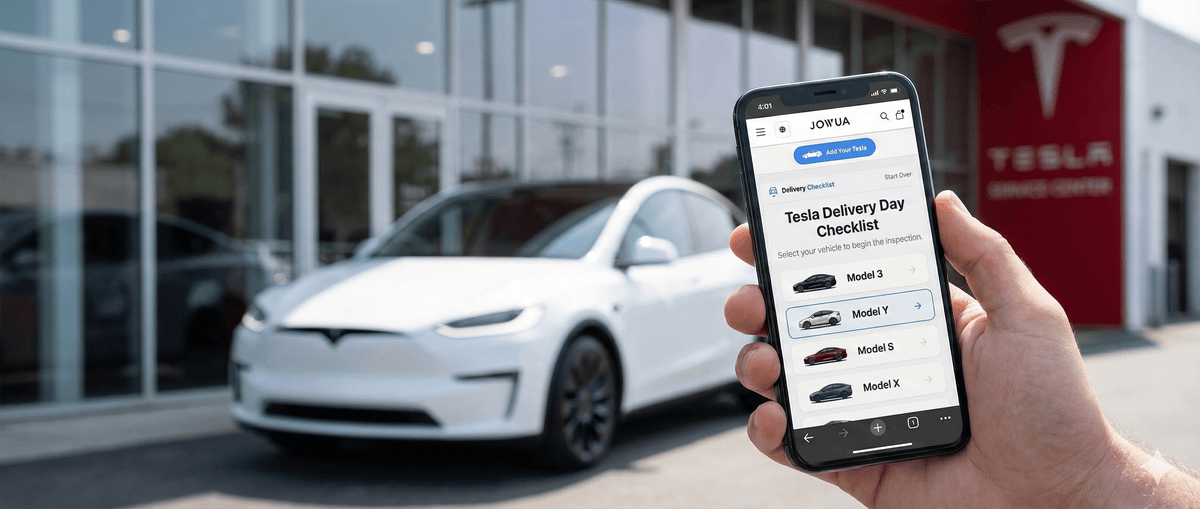
Tesla Delivery Day Checklist 2027: Pickup Inspection for Model Y & Model 3 (Free Tool + PDF)

By
Dan Capelle

Your delivery or pickup appointment is booked. The car is at the delivery center and you are probably more excited than you expected. This guide gives you a calm, repeatable way to inspect a new Model 3 or Model Y before you accept it, so the only surprises are good ones.
Quick Answer
- Prepare in the Tesla app. Confirm your registration and delivery location, add payment and trade-in details, and finish the pre-delivery tasks.
- Inspect before you accept. Tesla's steps put "accept delivery" in the app before you unlock the car, so walk around it first.
- Photograph and report on the spot. Ask your advisor to record any issue in writing before you tap Accept, and report anything you spot later within 24 hours or 100 miles.
- Use the tools. The free interactive checklist and printable PDF are below.
Last reviewed November 2026.
Before Your Appointment
Tesla runs delivery through its app. Its Taking Delivery page says to download the app, confirm your registration and delivery location (required to move forward), then:
- Submit your trade-in and payment details.
- Once you have a VIN, upload proof of insurance, if that applies.
- Submit final payment, if that applies.
- Accept any outstanding agreements, which Tesla says appear within 24 hours of your appointment.
If plans change, you can reschedule from the app, although Tesla notes that deliveries within the next 48 hours cannot be rescheduled there. The app is also where Tesla says you will see the latest delivery timing.
What to bring
Requirements vary by location, so check your appointment details. Tesla's Delivery Day information mentions a driver's license, proof of insurance, trade-in ownership documents and final payment, and says credit cards are not accepted for final payment. We would add:
- A fully charged phone. It accepts delivery, unlocks the car and takes your photos.
- A second person if you can. Two sets of eyes catch more.
- A flashlight or phone light for wheel wells, door jambs and lower panels.
- A pen, and somewhere to keep any paperwork the advisor hands you.
- A daytime appointment if you have a choice. Scratches and uneven gaps show up far better in natural light.
On Arrival: Check In, Then Slow Down
At a Tesla location, Tesla lists four steps: follow the signs to check-in, sign agreements and complete final payment, accept delivery in the Tesla app, then unlock the car and explore its features. There is no inspection step, so that part is on you.
Our suggestion: inspect before you accept in the app. Accepting is when the car becomes yours on paper, and any problem is easier to raise while the car is still on Tesla's lot with your advisor beside you. If you want to see the cabin first, ask them to open the car.
The Walk-Around Method
- Circle once. Pick a start point and go around the outside in one direction, then glass and wheels, then the inside.
- Look near and far. Stand back to judge gaps and alignment, then move in close for paint.
- Compare left to right. A gap that looks off is easier to judge against the same gap on the other side.
- Take two photos per finding. One wide so the location is clear, one close-up. A dated phone photo is your record.
- Rate it on the spot. Decide whether it is cosmetic, worth fixing, or a reason to stop, and jot a note beside the photo while you are standing there.
The Interactive Inspection Tool
Fumbling with a printed list while you hold a phone and keys is nobody's idea of fun. Our free Jowua Delivery Day Companion is a mobile-friendly checklist that walks you through the whole inspection, zone by zone. Pick your vehicle, work through the exterior, interior and electronics, log issues as you go, and generate a report to show your advisor.

Prefer a Paper Copy? Download the Tesla Delivery Checklist PDF
Prefer pen and paper? Download the printable checklist in your language and bring it along.
The Top 5 Checks
Short on time? These are the five checks we would never skip.
1. Glass, front to back. Look at the windshield, roof and rear glass from a few angles, tilting your head so the light catches scratches. A small flaw here is easy to overlook and hard to dispute later. Tesla's warranty does not cover chipped or scratched glass unless it comes from a defect in material or workmanship, so settle it before you accept.
2. Paint on the lower half. Crouch down and check the rocker panels, lower doors and both bumpers, where gravel and transport scuffs tend to show up. Use your phone light on the edges. The warranty also lists stone chips as normal wear, so have cosmetic flaws recorded before delivery.
3. The screen and scroll wheels. With the car stopped and in Park, you can restart the touchscreen by holding both scroll buttons until it goes black, then waiting about 30 seconds, as Tesla's owner's manual describes. If it does not come back, call your advisor over. Never do this while driving.
4. Doors, handles and charge port. Handles should sit flush and each interior button should open its door. Open the charge port door from the app, the screen and by hand, and make sure it closes smoothly.
5. Keys and charging gear. Test the phone key and both key cards, then compare any charging equipment in the car with your order, because that order is your reference. Tesla says it does not come standard with every vehicle.
A note on manual door releases
Many checklists say to pull the manual releases to test them. Tesla's owner's manual says they are for when the car has no power or when otherwise necessary, that you should use the interior button when the car has power, and that the window will not lower, so the window or trim can be damaged. Find the releases so you know where they are, but do not pull them without a reason. On a front door the release is in front of the window switches, and the Model Y manual describes a rear-door cover in the door pocket. Check your own manual for your car.
If You Find a Problem
- Stay put and document. Take the wide and close photos and note exactly where on the car the issue is.
- Show your advisor and ask for it to be recorded before you accept.
- Ask what happens next: whether it will be repaired, where, and how long it will take. Do not rely on a verbal promise.
- Get it in writing in your paperwork or the Tesla app, and keep a copy.
- Then decide. Accept with the issue documented, or hold off if it is serious. The choice is yours.
About reporting windows. As delivery-day advice, report cosmetic issues such as paint chips, scratches or dents within 24 hours or 100 miles of delivery. Some delivery centres give longer, so ask yours what applies and write down the answer. This is delivery practice, not a warranty requirement: Tesla's New Vehicle Limited Warranty only says to notify Tesla within the applicable warranty period. Either way, report anything you notice as soon as you notice it.
This is general information, not legal advice. What you can do about a problem depends on your contract and local law, so read your order paperwork before delivery day.
Frequently Asked Questions
Should I inspect my Tesla before or after I accept delivery in the app?
Before. At a Tesla location, the listed steps are check in, sign agreements, pay, accept delivery in the app, then unlock the car. None of them is an inspection, so walk around the car first and ask your advisor to note anything you find before you tap Accept.
How long do I have to report cosmetic damage after delivery?
As delivery-day advice, report cosmetic issues such as paint chips, scratches or dents within 24 hours or 100 miles of delivery. Some delivery centres give you longer, so ask yours what applies and write down the answer. This is delivery practice rather than a warranty requirement. Tesla's published warranty only says to notify Tesla within the applicable warranty period. Whatever the window, report problems as soon as you spot them.
Is this a Tesla pickup checklist too?
Yes. Delivery day and pickup day are the same appointment, so a delivery checklist, pickup checklist or new-car inspection checklist all follow the same steps: prepare in the app, inspect before you accept, and document what you find.
What should I do if I find a scratch or a defect?
Take one wide photo and one close-up, show your advisor, and ask them to record it in writing or in the Tesla app before you accept. Keep a copy of whatever they write. What happens next depends on your contract and local law, and this is not legal advice.
Does this work for the Model Y Juniper and Model 3 Highland?
Yes. The tool and PDF are built around the Model 3 and Model Y, including the refreshed versions, and the tool lets you pick your exact vehicle. The same steps also apply to the Model S, Model X and Cybertruck.
Is the JOWUA checklist tool free?
Yes. The interactive tool and the printable PDF, available in six languages, are both free.
After You Accept Delivery
Once the inspection is done and the car is yours, a few small upgrades make the first weeks easier. Here are six JOWUA best sellers new owners reach for most:
 Active Cooling Tesla Compatible Phone Mount | Gen 2From $49.95Shop now →
 Tesla 1TB SSD + 3-Port HUB$219.95Shop now →
 130W LED Hub for Tesla Model Y Juniper 2025+ / Model 3 2024+$69.95Shop now →
 Under Screen Invisible Station Model 3 (2024+) / Y (2025+)$129.95Shop now →
 Active Cooling MagSafe Car Mount for Air Vents (Model 3 Highland & Model Y Juniper)From $49.95Shop now →
 Model Y (Juniper 2025+) Glass Roof Sunshade$109.95Shop now →
Enjoy the new car, and drive safe!
Read more

How to Create a Custom Tesla Light Show: The Complete Step-by-Step Guide (Easy vs. Advanced Methods)
Introduction One of the most exciting features built directly into your Tesla is the Toybox Light Show. While the factory pre-loaded shows are impressive, running custom shows synchronized to your ...
Czytaj dalej